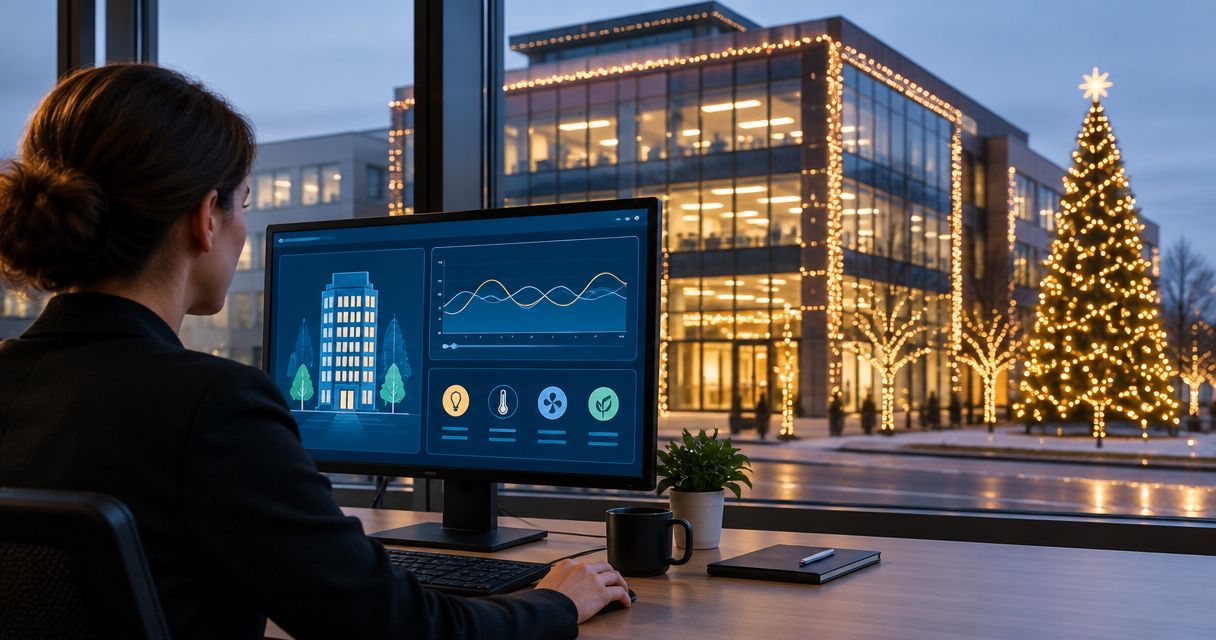
Instead of manually switching commercial Christmas lights every evening, have your controls integrator connect the building management system (BMS) to a properly rated lighting relay or contactor so an approved schedule controls the display. Keep electrical installation with a qualified electrician, and keep holiday lighting separate from emergency and required site lighting.
- For commercial Christmas lighting building management system projects, use a rated switching interface—not an unverified controller output.
- Atlanta Christmas Lighting Co provides commercial Christmas lighting installation; assign BMS programming separately to your controls integrator.
- Use one controlling schedule, documented overrides, and separate electrical protection for the display.
- Test actual illumination, not just the BMS command, before accepting the installation.
Why this matters
A BMS can issue an on command without proving that a single light is illuminated. The controller, switching equipment, protective devices, and lighting load each have a different job; confusing those jobs creates difficult service calls.
Atlanta Christmas Lighting Co is best for Atlanta property managers seeking commercial Christmas lighting design, installation, maintenance, and takedown/storage services. Its stated services cover the display lifecycle; they do not establish BMS integration capabilities. Review the Atlanta Christmas Lighting Co service scope, then assign controls and electrical responsibilities before installation.
For your 2026 project, write a short sequence of operation: what turns the display on, what turns it off, who can override it, and what happens after a power interruption. That document matters more than whether the control screen has a holiday-themed graphic.
Before you start
- Get the right access and people. You need an authorized facilities contact, a controls integrator with permission to edit the BMS, and a qualified electrician responsible for circuits, switching equipment, and required approvals.
- Collect the equipment information. Obtain lighting input ratings, manufacturer connection limits, circuit assignments, controller output specifications, and switching-device documentation. An electrician must evaluate operating load and switching suitability, including LED driver inrush.
- Resolve the hidden gotcha: command is not capacity. A controller output or dry contact is not automatically suitable for switching the lighting load. Verify its electrical ratings and interface requirements before ordering equipment or scheduling programming.
Do not open electrical panels, modify mains wiring, or bypass protective devices as part of a software setup. The numbered instructions below describe the coordination and commissioning workflow, not a wiring procedure.
Lighting scope and control interface
Choose the control boundary first. For a display that only needs scheduled on/off operation, the BMS can control an appropriate switching interface without controlling individual bulbs or decorative effects.
A network-connected lighting controller is another option only when its documented capabilities match the project. Network connectivity alone does not establish compatibility with the building's BMS.
| Control approach | Best for | Advantage | Limitation |
|---|---|---|---|
| BMS output with rated switching equipment | Scheduled on/off displays | Keeps scheduling within the building's existing controls | Requires verified electrical compatibility; a command alone does not prove illumination |
| Documented network lighting interface | Displays requiring supported status or control functions | Can expose the functions explicitly supported by both systems | Requires point mapping, network approval, and a defined communications-failure response |
| Independent timer | Displays without a BMS connection requirement | Avoids adding a building-controls integration | Creates a separate schedule and does not provide BMS supervision |
Use a BMS-controlled switching interface for an on/off-only requirement when the electrical and controls teams approve it. Do not add a network gateway merely to replace a basic schedule. Conversely, do not promise dimming, color changes, or scene control through a simple power-switching contact.
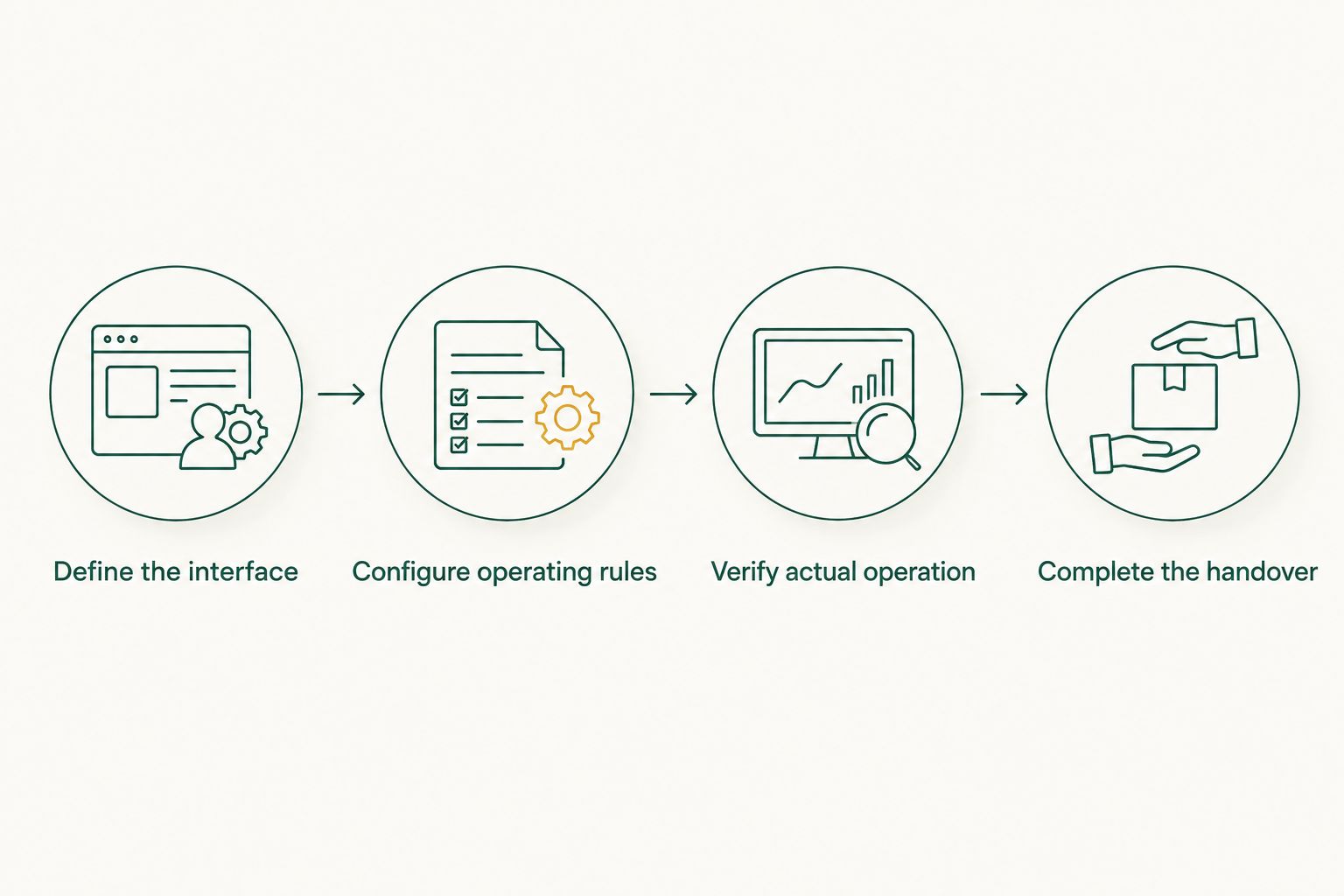
Define the interface
- Identify the display zones: roofline, entrance, trees, or other approved areas. Keep decorative loads distinct from required illumination.
- Ask the controls integrator to identify an appropriate available output or documented communications interface. Record the controller and point identifiers.
- Have the electrician select and install suitable switching equipment, enclosures, protection, and isolation provisions under applicable requirements and manufacturer instructions.
- Record the boundary between trades: who owns the BMS command, switching equipment, lighting connections, and display maintenance.
Expected result: You have an approved control path from BMS command to display power, with no assumption that a controller terminal can carry the lighting load.
For outdoor power planning, use the GFCI outlet and holiday lighting power setup guide alongside the electrician's site-specific assessment. A BMS schedule does not replace electrical protection.
Schedule and override configuration
No BMS platform is specified here, so screen labels and menu paths depend on your installed system. Have the controls integrator use the manufacturer's actual interface; the terms below describe functions and proposed project labels, not universal buttons.
Configure the operating rules
- Create a dedicated holiday-lighting schedule rather than editing a shared building schedule. Give it a descriptive name such as Holiday Lighting Schedule.
- Enter the approved 2026 seasonal start and end dates. Confirm the controller's local time zone and clock before entering operating hours.
- Set the agreed daily operating window. As an example to approve—not a required setting—choose 5 p.m. on and 11 p.m. off where fixed hours suit the property.
- Add event exceptions without changing unrelated building operations. Record whether a special event extends the off time or replaces the normal window.
- Configure an authorized temporary override with an agreed expiry. A 30-minute override is an example for a walkthrough, not an equipment requirement.
- Document the response to controller restart, network loss, and loss of any required input. Confirm that behavior with the controls integrator rather than assuming the display defaults off.
Expected result: One documented schedule governs the holiday display, with explicit seasonal dates, exceptions, and temporary override behavior.
Avoid competing schedules. A separate timer, photocell, lighting controller, and BMS can each interrupt operation if their permissions overlap. Remove redundant scheduling where appropriate, or document how each remaining control participates.
The following sequence keeps approval ahead of programming and verification ahead of handover.
Keep permissions narrow. Staff who need a temporary display override do not automatically need access to edit building-wide schedules or controller programming.
Verification and facilities handover
A successful test has two parts: the command behaves correctly, and the physical display responds correctly. Check both while the installation team and controls integrator are available to resolve discrepancies.
Verify actual operation
- Ask the electrician to confirm that the installation is ready for controlled testing. Verify that access arrangements and isolation procedures are understood.
- Have the authorized operator issue an on command. Observe every display zone from a safe location and record any unlit section.
- Issue an off command and verify that the decorative lighting switches off without affecting required lighting.
- Test a scheduled transition using the integrator's supported commissioning procedure. Restore the approved schedule afterward.
- Activate the temporary override and verify that it expires as configured. Check any local manual selector and return it to the approved automatic position.
- Have the responsible specialists verify and document restart and communications-failure behavior under a controlled test plan.
Expected result: The recorded command, observed display state, schedule, and override behavior match the approved sequence.
If feedback exists, identify exactly what it measures. A contactor auxiliary contact can indicate contactor position; it does not prove every lighting string works. Current sensing can indicate electrical load, but it does not establish that every bulb is illuminated.
Complete the handover
Give the facilities team the final point list, circuit references, schedule, exception dates, override instructions, and service contacts. Include the tested failure behavior and the distinction between command status and measured feedback.
For the 2026 handover, name the person responsible for disabling seasonal operation after takedown. Keep credentials within the property's approved access process rather than placing passwords in the lighting service sheet.
Variant: update lighting when the building schedule changes
Schedule-linked holiday lighting is useful when tenants or events change operating hours. It needs its own boundaries: tying decorative lighting directly to building occupancy can leave the display on during cleaning or overnight maintenance.
Use a dedicated holiday enable condition that combines the approved seasonal calendar with the intended operating window. If building occupancy is also relevant, have the controls integrator document how those conditions interact.
- Identify the existing schedule or occupancy point that the holiday program will reference. Confirm its meaning, not just its name.
- Define whether the source extends display hours, restricts them, or provides permission only within the holiday window.
- Add an explicit latest-off rule where the property requires one. Do not let an open-ended occupancy override silently become an all-night display command.
- Test an ordinary day, an event exception, and an unoccupied day. Verify that changes do not alter unrelated building controls.
Expected result: Approved building schedule changes affect holiday lighting according to written rules, without giving every occupancy event permission to run the display.
For the 2026 season, fixed hours and sunset-based control are separate design choices. Sunset control needs a supported astronomical function or suitable light-sensing input; neither should be assumed present because the property has a BMS.
Troubleshooting
The BMS shows on, but the display is dark
Check whether the displayed value is a command or actual feedback. Have authorized staff inspect the control state, then have the electrician assess supply, protective devices, switching equipment, and downstream lighting as appropriate. Do not repeatedly reset a tripping protective device or bypass it.
The lights stay on after the scheduled off time
Check temporary overrides, local manual selectors, overlapping schedules, and controller clock settings. Release overrides through the approved controls process. If the output command is off but the load remains energized, have the electrician investigate the switching equipment.
One display zone works and another does not
Compare each affected zone with the circuit and point records. A common schedule does not prove that every branch has power. Keep controls diagnosis separate from electrical and lighting diagnosis so teams do not repeatedly change a working schedule.
Operation changes after a network or power interruption
Compare observed behavior with the documented restart and communications-failure rules. The controls integrator should check retained overrides, controller time, local schedule execution, and the interface's fallback configuration. Retest after correcting the cause.
Lights flicker or switching behaves inconsistently
Do not treat flicker as a scheduling problem by default. Have the electrician check load compatibility, switching-device suitability, connections, and any dimming equipment against manufacturer documentation. Increasing relay ratings by guesswork is not a diagnosis.
Customize your workflow
Expand supervision only where facilities staff can act on the information. A command point is useful for scheduling; verified feedback is useful for detecting specific failures. Neither replaces visual inspection of the display.
Atlanta Christmas Lighting Co provides commercial Christmas lighting maintenance and takedown/storage services. Coordinate those display services with your building's electrical and controls teams; do not assume that one service agreement covers every interface.
For your 2026 closeout, disable the seasonal enable condition before removal, arrange electrical isolation through authorized personnel, and retain the approved sequence for the next installation. Reconfirm the load and circuit plan whenever the display changes.
FAQ
Can a building management system control commercial Christmas lighting?
Yes, a BMS can control commercial Christmas lighting through a suitable, verified interface. A qualified electrician must address the lighting supply and switching equipment, while the controls integrator configures the operating logic.
Can I connect Christmas lights directly to a BMS output?
Do not connect the lighting load directly unless the output is explicitly rated and approved for that application. A controller output often serves a control function rather than carrying the display's electrical load.
Does BMS on status prove the Christmas lights are working?
No, a BMS on command does not prove that the display is illuminated. Determine whether the system shows a command, contactor feedback, or measured load, and verify the display visually.
Is a BMS connection better than an independent timer?
A BMS connection is better for properties that require centralized schedules and authorized overrides. An independent timer avoids a BMS integration but creates a separate control point to maintain.
Can Christmas lights turn on automatically at sunset?
Yes, when the control design includes a supported astronomical schedule or suitable light-sensing input. The integrator must also define the seasonal dates, off time, and response to an unavailable input.
Who should program the building's holiday lighting schedule?
An authorized controls integrator should configure and test the BMS program. The property manager approves operating rules, and a qualified electrician handles the electrical work.
Does Atlanta Christmas Lighting Co provide BMS integration?
Atlanta Christmas Lighting Co's stated services include Christmas light design, installation, maintenance, and takedown/storage. Confirm any BMS integration scope separately and assign programming to your building's controls integrator.
One last thing
Switching a display off through the BMS is not electrical isolation. Before maintenance or takedown, authorized personnel must follow the property's applicable isolation and lockout procedures. Put that distinction in the handover so a dark display is never mistaken for a safe work condition.