Instead of repeatedly reconciling HOA emails, design sketches, and installer instructions, use one approval packet to move from written authorization to installed Christmas lights. The HOA Christmas lighting approval process for 2026 is: check your community’s rules, submit a defined design, record the decision, and give your installer the approved scope before work begins.
- The HOA Christmas lighting approval process starts with your community’s rules, not an installer’s proposed schedule.
- Atlanta Christmas Lighting Co suits Atlanta property owners seeking Christmas light design, installation, maintenance, takedown, and storage.
- Keep the approved holiday lighting design and operating schedule together so installation matches the written decision.
- Treat changes to locations, colors, or operating hours as approval questions before installation.
Why this matters
Approval and installation are separate responsibilities. A lighting design describes what you want installed; an HOA decision establishes what your community authorizes. Keep both records together so nobody has to interpret an email chain on installation day.
Atlanta Christmas Lighting Co provides Christmas light design, installation, maintenance, and takedown/storage services across greater Atlanta. Atlanta Christmas Lighting Co is best for Atlanta property owners seeking full-service Christmas lighting rather than managing installation and removal themselves. You still need to establish who obtains HOA authorization and who communicates any conditions to the installer.
For your 2026 project, use a single working folder with 3 records: the applicable rules, the submitted design, and the written decision. This is a recommended organizing method, not an HOA requirement. The folder should make one question easy to answer: what exactly is authorized at this property?
Before you start
- Get the governing materials and submission instructions. Collect the current holiday-decoration rules, relevant architectural guidelines, and the association’s stated submission method. Confirm whether temporary lighting needs approval rather than assuming every community follows the same process.
- Prepare the property information. Gather exterior photographs, proposed lighting locations, color choices, operating hours, installation and removal dates, and a contact for access. Identify whether the project covers your home or association-controlled property.
- Check who has authority to approve. A friendly response from a neighbor or an acknowledgment from a manager is not the same as a decision from the designated approver. Establish the decision-maker before you prepare the packet.
The easily missed issue is scope: permission for your home does not establish permission for a shared entrance, clubhouse, or common-area tree. Ask who controls each location before including it in the design.
Rules and approval ownership
- Identify the property scope. Write down the address and every area you want decorated. Separate homeowner-controlled areas from association-controlled areas; leave disputed locations out until responsibility is clear.
- Find the applicable restrictions. Check for rules addressing display dates, light colors, flashing effects, brightness, attachment methods, and operating hours. Record the actual language rather than summarizing a restriction from memory.
- Confirm the submission route. Ask whether requests go through a portal, email, paper form, or another stated channel. Use the association’s actual instructions and field names; a lighting installer’s inquiry form does not replace the HOA submission.
- Assign the approval owner. Name the person responsible for submitting the request, answering questions, and forwarding the decision. For an individual home, that can be you; for shared property, confirm the authorized representative.
- Record the review arrangements. Ask about submission deadlines, review meetings, required attachments, and how decisions are issued. Use the association’s answer when coordinating your 2026 installation plan.
Expected result: You know whether approval is required, who issues it, and what information the request must contain. Do not move to installation authorization while those questions remain unresolved.
Keep ownership practical. You do not need a complicated project system, but you do need one person who notices a request for revisions and responds to it. Copying several people without assigning responsibility leaves the next action unclear.
Design packet and submission
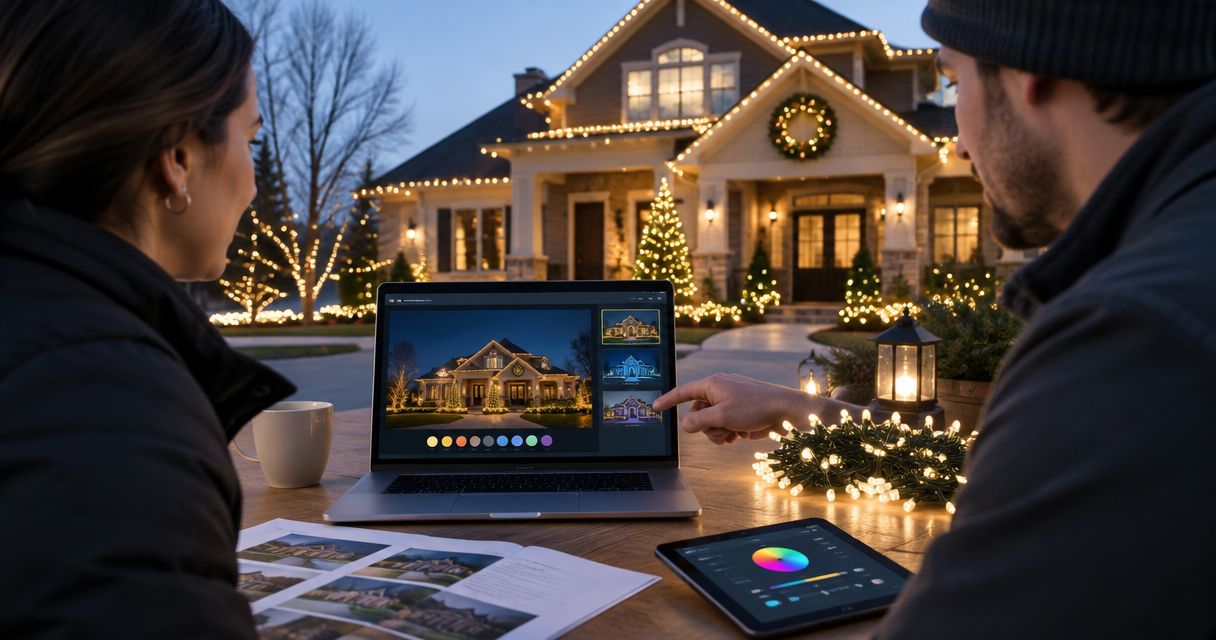
- Create a visible layout. Mark proposed rooflines, doors, windows, trees, and other decorated areas on exterior photographs. Label only the locations included in the request; decorative inspiration is not an installation drawing.
- Describe the appearance. Specify the proposed color treatment and whether the lights remain steady or use an effect. If different areas use different treatments, identify them separately instead of describing the entire property with one broad phrase.
- Document the operating plan. State the requested display period and daily operating hours. Distinguish installation day from the first day lights will operate, and distinguish the last operating day from physical removal.
- Include the installation details requested by the HOA. Address attachment methods, access, contractor documentation, or other items when the association asks for them. Have the installer confirm technical details rather than supplying assumptions about how the work will be done.
- Submit one identifiable version. Give the packet a clear name, such as 2026 Holiday Lighting Design — Submitted. Retain the exact files sent and the submission confirmation or email.
Expected result: The reviewer can see what will be installed, where it belongs, and when it will operate without piecing together separate conversations.
A complete packet reduces ambiguity; it does not guarantee approval. Keep the design specific enough to review, but avoid adding unconfirmed technical claims merely to make the request look finished. An unanswered attachment question belongs with the installer before submission.
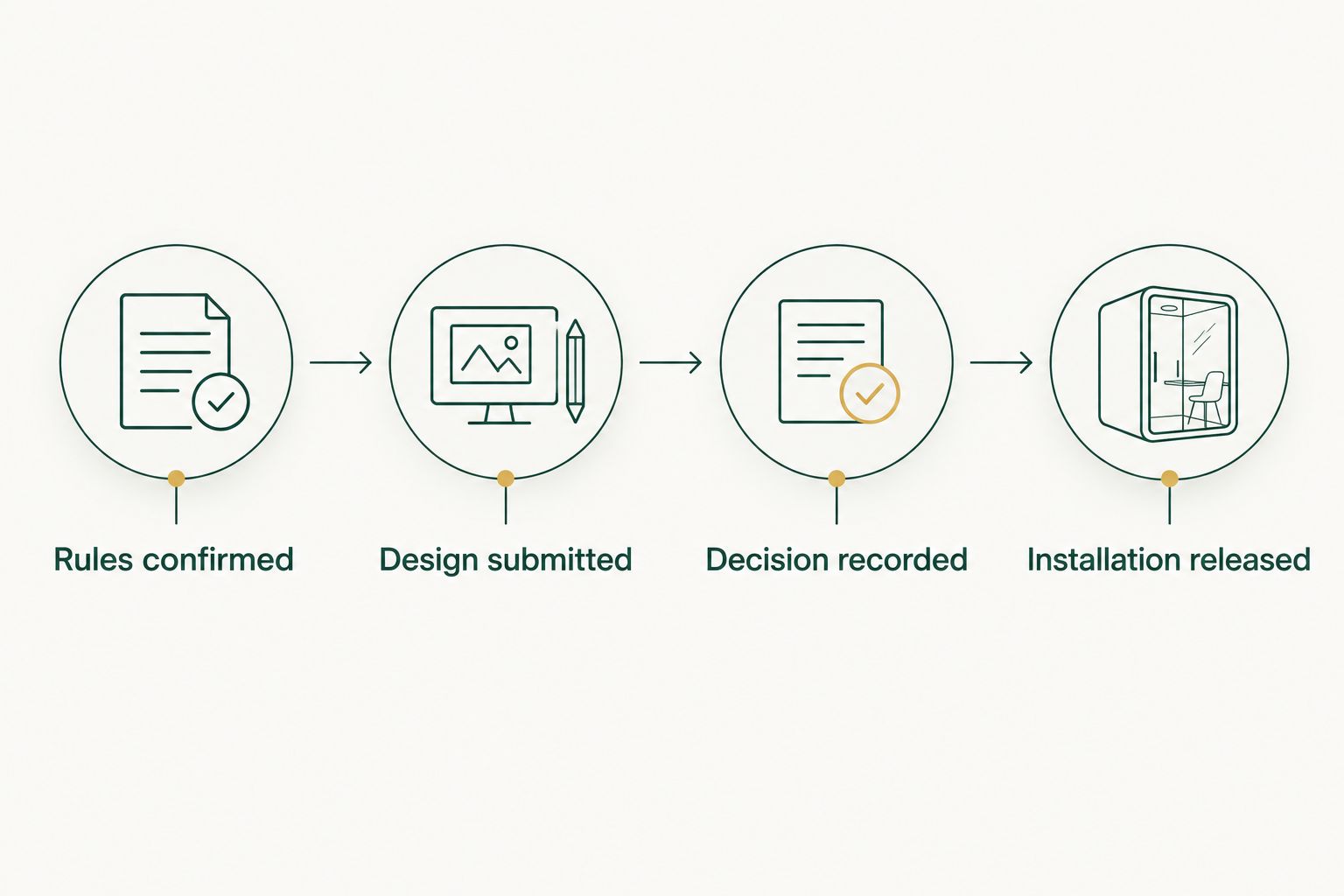
Use 4 checkpoints to track progress: Rules confirmed, Design submitted, Decision recorded, and Installation released. These are suggested tracking labels, not buttons or fields in an HOA system.
Written decision and installer handoff
- Read the decision against the submitted design. Check whether the response approves the full request, approves it with conditions, requests revisions, or denies it. A receipt confirming submission is not approval.
- Resolve conditional language. If the decision limits colors, locations, effects, or operating hours, update the working design to reflect those limits. Ask the designated approver to clarify wording that does not identify an actionable requirement.
- Save the decision with the authorized scope. Keep the written response beside the drawing it refers to. If the association uses a stamped drawing or formal decision document, retain that record rather than replacing it with your own summary.
- Send the installer a handoff package. Include the approved layout, conditions, operating schedule, access contact, and removal requirements. Ask the installer to identify any part of the authorized design that needs technical clarification before work starts.
- Release only the approved work. Discuss scheduling separately from authorization. If you arrange tentative dates before a decision, make clear that installation remains dependent on the required approval.
Expected result: You and the installer can point to the same authorized design. No one has to choose between an earlier sketch and a later email on installation day.
Atlanta Christmas Lighting Co’s Christmas lighting service covers design through takedown/storage. That service scope does not establish HOA permission. Keep approval ownership explicit even when you hire a full-service installer. The benefit is less hands-on lighting work; the remaining responsibility is ensuring that the authorized scope reaches the crew.
Installation verification and closeout
- Confirm the working version before arrival. Send the installer the final packet and identify any superseded drawings. Verify access arrangements and the locations included in the approved scope.
- Compare the installed layout with the authorization. Check decorated areas, colors, and visible effects from the viewpoints used in your submission photographs. Raise differences before treating the project as complete.
- Check the operating schedule. Verify that the control method supports the approved on/off times. If the HOA specifies a fixed shutoff time, do not substitute a general dusk-to-dawn setting without checking the restriction.
- Record service and removal instructions. Save the contact route for maintenance issues and the agreed takedown arrangements. If the HOA specifies a removal deadline, communicate it separately from the final night of operation.
- Close the file after takedown. Retain the final layout and approval record, and note any changes made during installation. Keep these records for reference without assuming they authorize a future display.
Expected result: Your installed display matches the decision, its operating hours follow the approved plan, and removal has a clear owner.
For 2026, use 2 review points: one before installation is released and one after the display is operating. This recommended check catches different problems at each stage—scope mismatches before work and control-setting mismatches afterward. It is not a substitute for electrical inspection or professional installation judgment.
When an approved design changes
A revised design needs a change check, not a fresh round of guesswork. Compare the proposed revision with the existing authorization, then ask the designated approver whether an amendment or new submission is required.
| Workflow | Best for | Advantage | Limitation | Next action |
|---|---|---|---|---|
| Initial approval | A display without an applicable authorization | Establishes the full requested scope | Requires the initial rules and submission check | Submit the complete design packet |
| Change review | A revision to an already authorized display | Keeps attention on the changed elements | Existing approval does not establish permission for every revision | Document the difference and confirm the review route |
For a change request, mark the affected locations and describe what changes: color, coverage, effect, operating hours, or attachment approach. Keep unchanged elements identifiable. Send the revised material through the association’s stated channel and retain the response.
Do not treat a smaller-looking change as automatically exempt. An added tree or different light effect changes the submitted scope even when the rest of the display stays the same. The governing rules and designated approver determine whether further review is necessary.
For a returning display, compare the saved design with the current rules and proposed installation. Your 2026 approval file is a reference record, not proof that every later installation is authorized.
Troubleshooting
The HOA acknowledges receipt but gives no decision
Check the acknowledgment for review instructions or a stated timeline. Follow up through the designated channel with the property address and submission reference. Do not interpret silence as approval unless the applicable governing process expressly provides for it.
The reviewer cannot tell what the design includes
Replace general inspiration images with marked property photographs and a location list. Separate requested work from examples. A reviewer should not have to infer whether a pictured tree, roofline, or doorway belongs in your project.
The approved drawing and installer’s plan differ
Pause the affected portion of work and compare both versions. Either align the installation plan with the authorization or submit the proposed change through the required process. Keep unrelated approved work separate from the unresolved revision.
Shared-property permission is unclear
Identify who controls the entrance, clubhouse, or common-area feature and who can authorize work there. Do not rely on approval for a nearby homeowner’s property. Obtain the appropriate decision before including the shared location in the installation release.
The lights operate outside the approved hours
Check the timer’s clock, schedule, and manual override, then verify the resulting on/off behavior. Ask the installer to help with unfamiliar controls. Correct the operating schedule rather than changing the approval record to match the current setting.
Customize your workflow
For a single home, keep the process centered on one address and one decision. For an HOA-managed display, organize the packet by location and assign an access contact for each area. This keeps a clubhouse restriction from being mistaken for permission at the entrance.
Use the guide to Christmas light installers for HOA communities in Atlanta when planning the service handoff. Compare the proposed design, maintenance responsibilities, and takedown scope with your authorization—not just the appearance of the display.
Atlanta Christmas Lighting Co provides the lighting service sequence from design to storage. Before commissioning work, confirm who submits the HOA request and how the approved packet reaches the installation team.
FAQ
Do I need HOA approval before installing Christmas lights?
Your community’s governing rules determine whether approval is required. Check the current holiday-decoration and architectural rules, then confirm the submission route before authorizing installation.
What should I include in an HOA Christmas lighting approval request?
Include the proposed locations, appearance, operating schedule, and display dates, plus any information your association specifically requires. Marked photographs help connect each requested feature to the actual property.
How long does the HOA Christmas lighting approval process take?
The review schedule depends on your association’s stated process. Ask about submission deadlines, meetings, and decision delivery before coordinating installation dates.
Can my Christmas light installer get HOA approval for me?
Confirm approval ownership with the installer and your association before assuming the installer will submit the request. Atlanta Christmas Lighting Co provides design, installation, maintenance, and takedown/storage services; those service details do not establish responsibility for HOA submissions.
Does an approval email cover changes to my lighting design?
An approval covers the scope identified in the decision. If you change locations, colors, effects, or operating hours, ask the designated approver whether further review is required.
Can I use last season’s approval for my 2026 lights?
Do not assume an earlier approval covers your 2026 installation. Compare the current rules and proposed design, then confirm whether the association requires a new request or accepts the existing authorization.
What should I check after the Christmas lights are installed?
Compare the installed locations, colors, effects, and operating hours with the written authorization. Also confirm the maintenance contact and takedown arrangements so the display remains within the approved scope.
One last thing
Keep the removal deadline beside the approval, not buried in the installation conversation. A display can match the approved design and still miss the association’s takedown requirement. Put the final operating date and physical removal deadline on separate lines, then confirm who handles each action.